




Toolbox
Swiss army knife
for faster development
for faster development
Toolbox Overview
Toolbox is a robust FileMaker Pro plug-in which allows your FileMaker Pro databases to:
- Execute FileMaker or System shell scripts to automate tasks inside/outside of FileMaker Pro
- Execute SQL commands to develop faster and keep your solution clean
- Match & replace regular expressions to find & replace text fast using patterns
- Merge data values into text while maintaining styling to apply templates quickly and easily
- Lookup DNS name for IP & vice versa to find out who is connecting from where
- Get current public IP to know more about clients and discover potential security attacks
- Define global keyboard shortcuts to avoid excessive use of script triggers
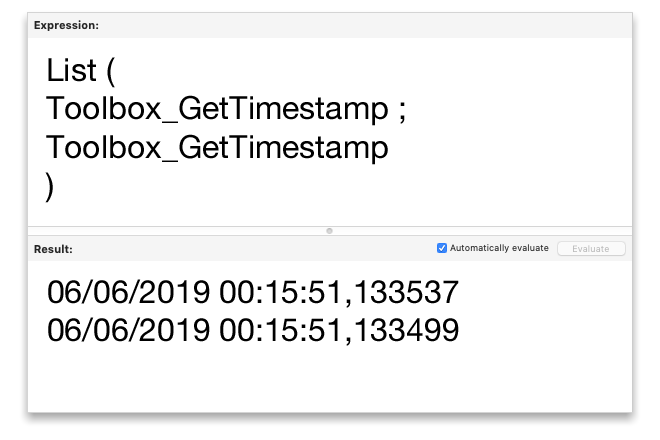
- Obtain microsecond timestamps for precise performance measurements
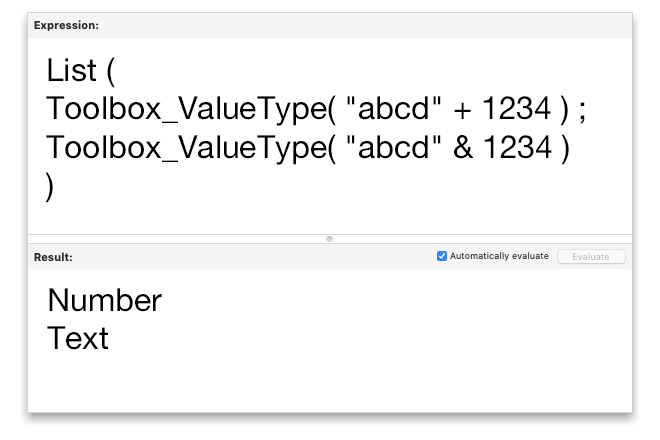
- Get the type of a FileMaker variable to let your scripts make the right decisions
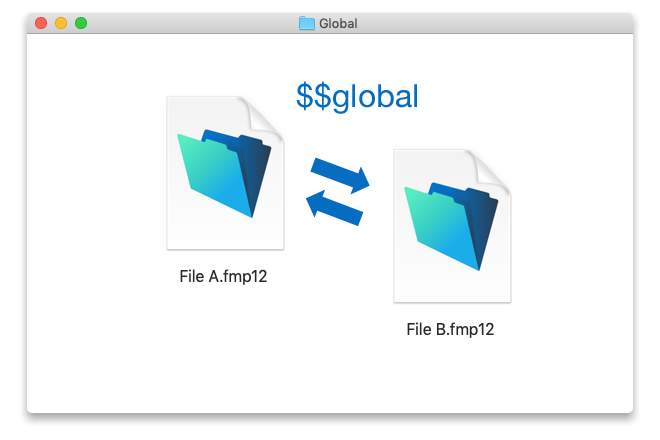
- Share variables between databases to avoid creating too many external data sources
- Get rich text as HTML to generate crystal clean HTML and CSS
- NEW! Run system scripts in the background
- NEW! Match regular expressions in a text field and return all occurrences in JSON
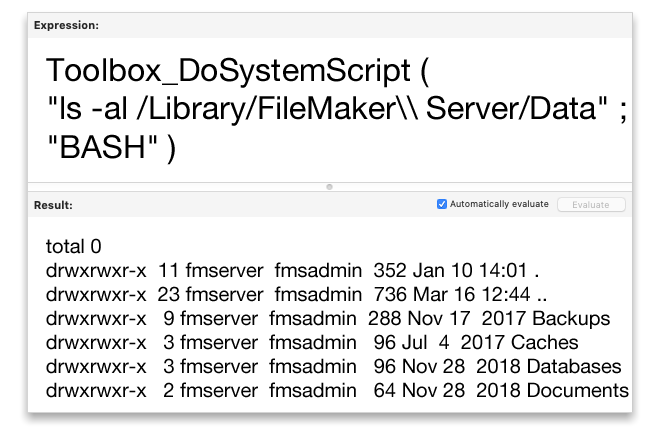
Execute FileMaker Scripts or System Shell Scripts
Toolbox is able to run “Bat” and “Visual Basic” scripts on Windows, and “AppleScript”, “Bash” and “PHP” scripts on Mac, and run a FileMaker script from places where the FileMaker software does not allow it – for example from conditional formatting, validations, and calculation fields just placing your mouse over the element.
Running FileMaker scripts dynamically lets you automate tasks better without requiring user interaction, running external scripts even extends this automation outside of the borders of FileMaker Pro to integrate your solution with other systems.
Execute SQL Commands
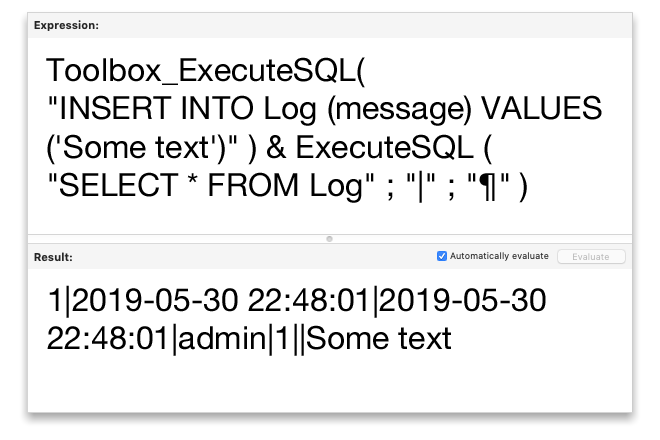
Contrary to the built-in ExecuteSQL function, Toolbox_ExecuteSQL even allows for changing data in your FileMaker database using SQL.
Creating and modifying data in any table from any context without any relationships lets you develop faster and keep your solution clean without unnecessary utility structures.
Match and Replace Regular Expression in Text
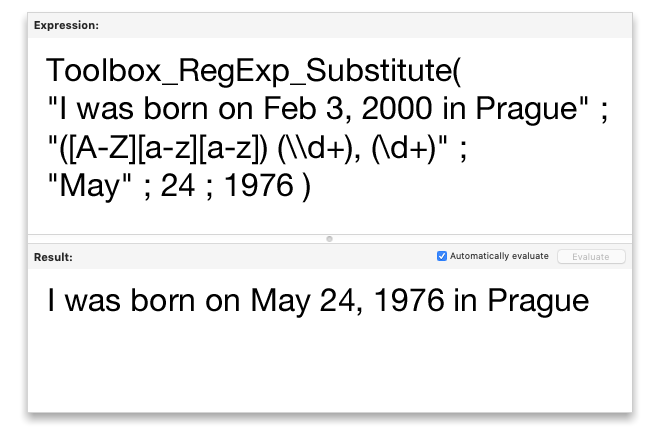
Toolbox will let you get the number of occurrences of strings, and search and replace the strings on the basis of regular expressions.
Using regular expressions allows you to find and replace portions of text even if you don’t know in advance what exactly you will be looking for but you know how to recognize it.
Merge Data into Text While Maintaining styles
Instead of long lasting patterning using native function of the FileMaker software
Substitute(text; [search1; replace1]; [search2; replace2]; … [searchN; replaceN]),
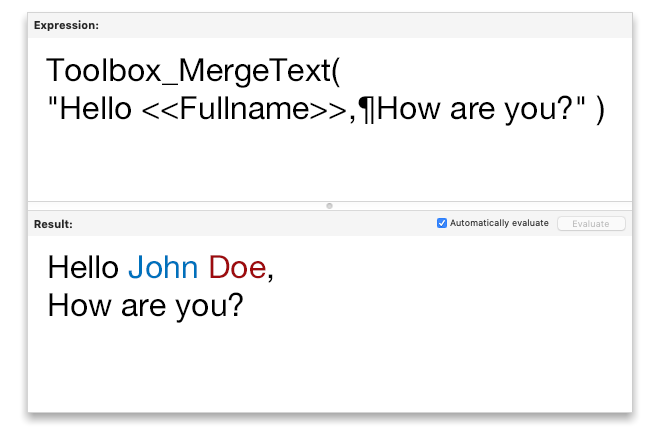
Toolbox ensures that just linking a text with values of fields or variables suffices.
With Toolbox_MergeText you can merge your data into carefully prepared text templates quickly and easily, while maintaining styling.
Lookup DNS Name for IP and VICE VERSA
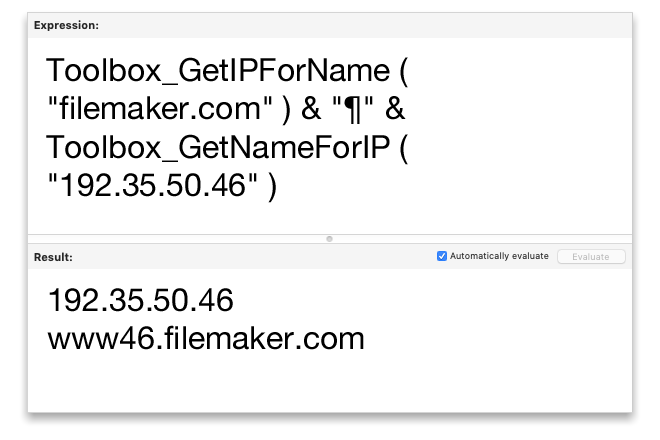
Instead of browsing lots of Internet discussions about many possible and often complicated ways to translate an IP address to a hostname and vice versa, we have just one line of code for you that will say: “Translate!” to your FileMaker solution.
Ability to easily translate between IPs and hostnames makes it easy to understand who is connecting to your solution and from where.
Get Current Public IP
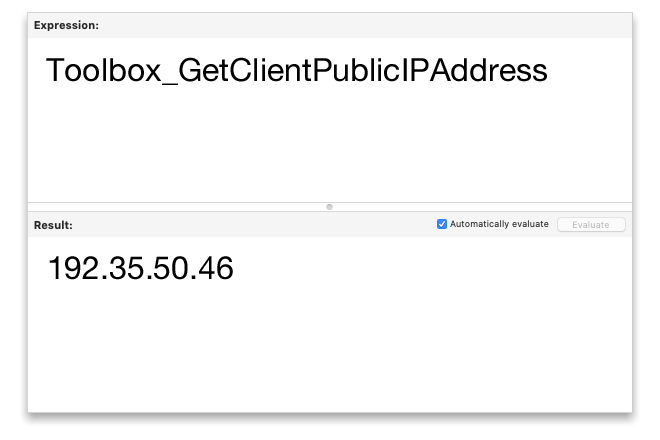
Toolbox will return the public IP address of the network from which FileMaker Pro is connecting, rather than the local network address returned by Get ( SystemIPAddress ).
Knowing the client’s public IP address lets you find out where the client is really connecting from, and easily discover potential security attacks.
Define a Custom Keyboard Shortcut
Defining a custom keyboard shortcut allows the user to assign a script to a particular key or to a combination of keys that will work across the whole FileMaker solution, without having to use script triggers.
Global keyboard shortcuts let you avoid having to set up a keystroke script trigger for every single layout and running it unnecessarily for every single key press when you only need a few shortcuts.
Obtain Precise Timestamp
Unlike the native timestamp provided by FileMaker Pro, 24U Toolbox Plug-In provides a timestamp with even microsecond precision.
Such precise timestamps let you measure time elapsed between events immediately following each other, such as quick FileMaker script steps, or even calculations.
Get the Type of a FileMaker Variable
With Toolbox, not only can you discover the type of a FileMaker field, but also the type of the value stored in a FileMaker variable, such as “Text”, “Number”, “Date”, “Time”, “Timestamp”, “Container”.
Knowing the type of variable value lets your script make the right decisions because it can, for example, recognize that “123” is a valid text result and not an error number 123.
Create a Global Variable Outside of the Database
Unlike standard global variables that are accessible only within a single FileMaker database, and disappear when you close the database, Toolbox lets you create a global variable that is shared among multiple databases and, if you want, can even survive after closing the database that created it.
Application-wide global variables are great for developing modular systems because they let you easily share temporary session data between multiple database files even without linking them through external data sources.
Run System Scripts in the Background
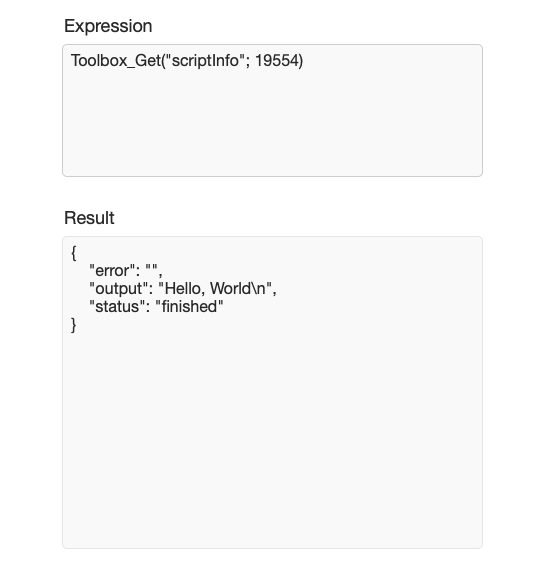
- Toolbox now allows you to schedule and manage any number of scripts that run in the background
- Compute time-demanding tasks in FileMaker Pro without stalling user interface
- Finish complex computation much faster than with native FileMaker Scripting Engine
- Supports Bash scrips (.sh), Apple scripts, PHP scripts, BAT scripts and VBS
- Track status of those scripts or terminate them directly from FileMaker
Match Regular Expressions in a Text Field
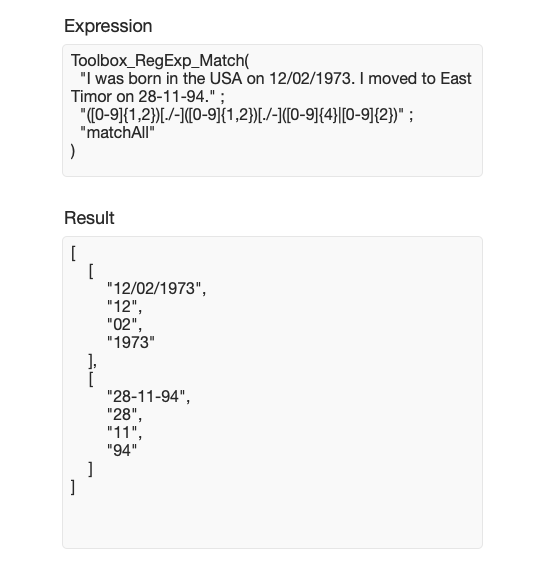
- Match all regular expressions and return them in JSON format
- Supports group matching
- PCRE compliant implementation

Documentation Redesigned
- New modern look
- Syntax highlighting
- Supports dark mode
Buy
Download software & documentation
Kontaktujte nás
Hledáte něco, co není uvedeno výše? Kontaktujte nás s vašimi požadavky. Můžeme vyvinout plug-in nebo nástroj přizpůsobený na míru vašim konkrétním potřebám.
 Volejte
nám
+420 608 301 880
Obvykle jsme dostupní v pracovní dny mezi 8. a 18. hodinou
Pokud budete volat z viditelného čísla a nedovoláte se, zavoláme vám zpátky
 Voláme
zpět
